Do You Actually Get WiFi and Phone Signal on the Everest Base Camp Trek
Yes, and the connectivity on this route is better than most people expect, but it is not uniform. Lukla and Namche Bazaar have free WiFi included with your teahouse stay. From Phakding through Gorak Shep, every teahouse sells prepaid WiFi cards. Mobile phone calls work at surprising altitudes, including at Gorak Shep and Everest Base Camp itself, though mobile data internet does not reach that far. I have guided this route more than twenty times and I still get asked about connectivity more than almost any other topic, so here is exactly what to expect at every stop. Most trekkers arrive expecting either full connectivity or none at all, and the reality sits between those two extremes in a way that surprises people in both directions, sometimes better than feared and sometimes more limited than hoped depending on exactly where you are on the trail and what the weather has been doing to the solar powered relay stations that day.
Connectivity is much the same regardless of how your trip ends. If you are considering a faster return by helicopter, see our Everest Base Camp Trek with Helicopter Return page for how that itinerary is structured.
Village by Village: What Connectivity Actually Looks Like
| Village | Altitude | Mobile Data | WiFi |
|---|---|---|---|
| Kathmandu | 1,400m | Full 4G, both NTC and Ncell | Free everywhere |
| Lukla | 2,840m | Good 4G coverage | Free with accommodation |
| Phakding | 2,610m | Reduced 4G, patchy | Paid WiFi card, NPR 1,200 to 1,800 |
| Namche Bazaar | 3,440m | Decent 3G/4G | Free with accommodation |
| Tengboche | 3,860m | Weak, intermittent | Paid WiFi card, NPR 1,200 to 1,800 |
| Dingboche | 4,360m | Weak, intermittent | Paid WiFi card, NPR 1,200 to 1,800 |
| Lobuche | 4,930m | Very weak or absent | Paid WiFi card, NPR 1,200 to 1,800 |
| Gorak Shep | 5,164m | Calls only, no data | Paid WiFi card, NPR 1,800 |
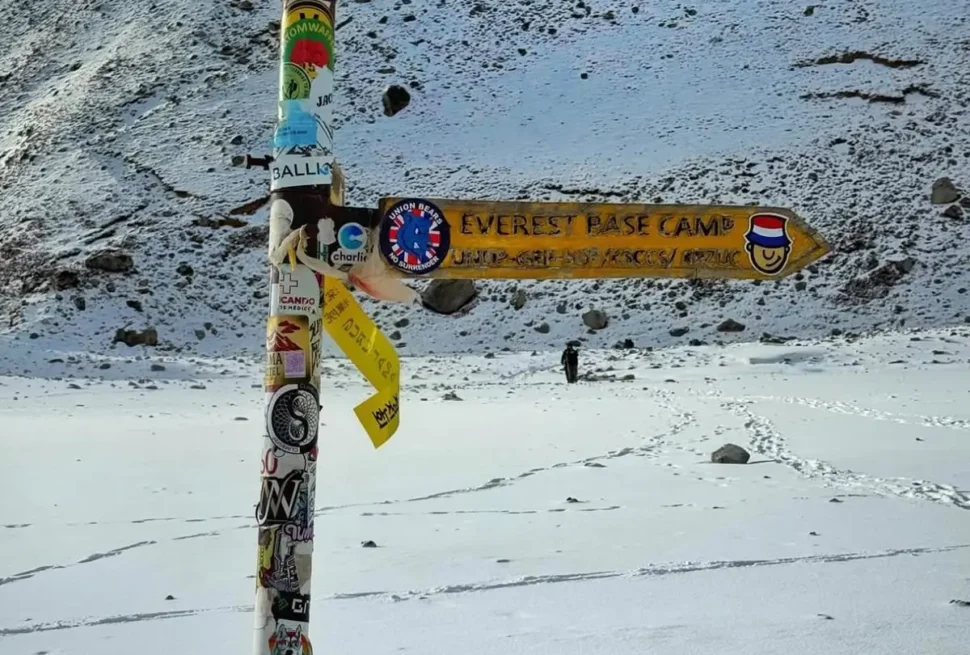
| Everest Base Camp | 5,364m | Calls only, no data | None, rely on Gorak Shep before or after |
This table reflects what our groups actually experience on the trail, not a theoretical coverage map. Signal strength changes with weather, time of day, and how many other trekkers are using the same tower, so treat these as realistic expectations rather than guarantees.
NTC or Ncell: Which SIM Card Should You Buy
Nepal has two main mobile providers, Nepal Telecom, branded Namaste and commonly called NTC, and Ncell. For the Everest Base Camp route specifically, NTC has noticeably better coverage in the Khumbu valley, particularly from Namche upward. Ncell works well in Kathmandu and Lukla but drops off faster as you gain altitude and move deeper into the valley. If you are buying one SIM card for this specific trek, buy an NTC SIM in Kathmandu. You need your passport and a passport photo to register a SIM in Nepal, and it takes about fifteen minutes at any authorized dealer, including several near Thamel.
Free WiFi Zones: Lukla and Namche Bazaar
These two stops are the easy part of the connectivity story. Lukla, where your trek begins and ends, has WiFi included with almost every teahouse and lodge in the village. Namche Bazaar, the trek’s largest settlement and your first acclimatization stop, has the same setup, often the best and fastest connection of the entire route thanks to Namche’s role as the commercial hub of the Khumbu. This is your best opportunity to make video calls home, upload photos, and handle anything that needs a stable connection, before the trail gets quieter and slower above Tengboche.
How the Teahouse WiFi Card System Works
From Namche upward, most teahouses do not include WiFi with your room. Instead, they sell prepaid cards, usually branded Everest Link, with a printed username and password good for a set amount of data or a set number of hours. You connect to the teahouse WiFi network on your phone or laptop, open a browser, and a login page prompts you for the card credentials. Once entered, the card is active until the allowance runs out, and it works across any teahouse using the same network, not just the one where you bought it, which is useful if you switch lodges partway through a stay.
Buy your card from the teahouse you are staying at, since asking around for the best price rarely saves more than a few hundred rupees and eats into your rest time. A single card is usually enough to check messages, make a short video call, and browse for an evening. If you need more, buy a second card rather than trying to stretch a light plan across two full days.
What It Actually Costs
| Location | Cost | Notes |
|---|---|---|
| Kathmandu | Free | Included at hotels and most cafes |
| Lukla and Namche | Free | Included with teahouse accommodation |
| Phakding, Tengboche, Dingboche | NPR 1,200 to 1,800 per card | Buy when you want to connect, not every night |
| Lobuche and Gorak Shep | NPR 1,200 to 1,800 per card | Cards available at every teahouse, connection generally reliable |
| Device charging above Namche | NPR 200 to 500 per device | Solar and hydro powered, budget accordingly |
Over a full 14 day trek, budgeting USD 15 to 25 total for WiFi cards across the upper section is realistic for a trekker who wants to check in daily without spending every evening online.
The Surprising Truth About Gorak Shep and Everest Base Camp
Here is something that surprises most first time trekkers, including some guides who have not paid close attention: you do get mobile phone signal at Gorak Shep (5,164m) and at Everest Base Camp itself (5,364m), well enough to make a normal phone call to home. What you do not get at either location is mobile data. For anything beyond a voice call, you are relying on the teahouse WiFi card system at Gorak Shep, since Base Camp itself has no infrastructure. Connectivity at Gorak Shep is genuinely good for its altitude, and I have seen trekkers successfully run video calls home from there on the NPR 1,800 card, timed for right after reaching Base Camp and returning.
Staying Connected for Work While Trekking
A growing number of our trekkers want to stay reachable for work during at least part of the trip, and it is realistic with the right expectations. Namche Bazaar is your best base for anything that needs a stable connection, video calls, file uploads, or a scheduled meeting, since the WiFi there is both free and comparatively fast. Above Tengboche, plan around connectivity rather than depending on it: use asynchronous communication like email and messages that do not need to send instantly, and warn anyone expecting a call that you may be unreachable for a day or two around the Base Camp push itself. Trying to run a live meeting from Lobuche or Gorak Shep is possible in theory but unreliable enough that I would not recommend planning around it.
Managing Your Phone Battery in the Cold
Cold temperatures drain batteries far faster than most trekkers expect. At Gorak Shep in the coldest months, a fully charged phone left in an unheated room overnight can lose 30 to 40 percent of its battery purely from the cold, without any use at all. A few habits make a real difference: sleep with your phone inside your sleeping bag or inner jacket pocket rather than in your pack, switch to airplane mode overnight so the phone stops searching for a weak signal, and charge whenever you are in a warm dining hall with access to a socket rather than waiting until the battery is critically low. A power bank in the 10,000 to 20,000 mAh range is enough to get most phones through the upper section of the trek between charging opportunities.
Satellite Communicators: The Backup That Actually Matters
Mobile signal and WiFi cards cover day to day communication, but neither is a substitute for genuine emergency communication above Namche, where coverage becomes patchy and unreliable exactly when it matters most. Our guides carry satellite communicators independent of the local mobile network for this reason, covered in detail in our safety guide for this route. If you are trekking with a group that does not provide this, consider renting a personal satellite messenger for the trip, since a dead zone at the wrong moment is the scenario worth planning around, not the inconvenience of a slow WiFi card.
Common Connectivity Mistakes First Time Trekkers Make
- Buying a large data heavy WiFi card in Phakding on Day 2 and running out before the section where they actually needed it most
- Assuming Ncell will work as well as NTC in the Khumbu, then discovering patchy coverage from Namche upward
- Leaving the phone in a cold daypack overnight instead of a sleeping bag, then finding it dead in the morning
- Promising family a live video call from Everest Base Camp itself, which has no WiFi infrastructure at all
- Not telling anyone at home that the Gorak Shep to Base Camp push day may involve zero contact for 8 to 9 hours
How the Khumbu Got Connected: A Short Background
The WiFi network you use on this trek, mostly branded Everest Link, is not a recent addition. It was built out village by village over the past decade, powered largely by the same solar and micro hydro systems that run teahouse lighting and charging. This matters practically because network speed and reliability follow power availability closely. On a cloudy, low sun week in the shoulder seasons, solar powered relay stations run on reduced capacity, and you will notice WiFi cards working more slowly than on a clear, sunny stretch. It is not your imagination if the connection feels worse for a few days around a storm system, the infrastructure itself is running on less power.
Comparing Connectivity to Other Nepal Treks
| Trek | WiFi Availability | Mobile Signal | Notes |
|---|---|---|---|
| Everest Base Camp | Free in Lukla/Namche, paid cards above | Calls work to Gorak Shep and EBC | Best infrastructure of any high altitude trek in Nepal |
| Annapurna Base Camp | Paid WiFi most teahouses | Reliable to Chhomrong, patchy above | Generally similar cost structure to EBC |
| Langtang Valley | Limited, patchy paid WiFi | Weak above Langtang village | Less developed telecom infrastructure than the Khumbu |
| Manaslu Circuit | Very limited, mostly none above Samagaon | Weak to absent above Namrung | Restricted area with minimal telecom investment |
The Everest Base Camp route has, by a wide margin, the best connectivity infrastructure of any major trekking route in Nepal. This is a direct result of the volume of trekkers passing through the Khumbu every season and the tourism revenue that has funded the Everest Link buildout over many years.
What to Download and Set Up Before You Leave Kathmandu
A little preparation in Kathmandu, where connectivity is fast and reliable, saves real frustration on the trail. Download offline maps of the Khumbu region in whatever mapping app you use, since relying on live data for navigation is not realistic above Namche. Download messaging apps like WhatsApp before you leave, since installing a new app for the first time on a weak teahouse connection is a frustrating way to spend your limited data allowance. If you plan to work remotely at all, download any documents or files you might need offline rather than assuming you can pull them from cloud storage on the trail. Set expectations with family and colleagues before you leave Kathmandu, not after you have already lost signal, since a message sent from Lukla saying “limited contact for the next ten days” prevents a lot of unnecessary worry.
How Much Data Common Activities Actually Use
Understanding data consumption helps you buy the right size WiFi card rather than guessing. A text based WhatsApp conversation for an evening uses a small fraction of a typical card’s allowance. A 10 minute video call consumes considerably more, often enough to use a meaningful share of a standard card on its own. Uploading a handful of photos to social media sits in between the two. If your primary goal each evening is checking messages and sending a few photos home, a single standard card comfortably covers that. If you want a daily video call home, budget for using close to a full card on video alone and consider buying two cards on days that matter most, such as the day you reach Everest Base Camp.
A Realistic Day by Day Connectivity Diary
Day 1 to 2, Kathmandu and Lukla: fast, free WiFi at your hotel and at teahouses in Lukla, the easiest connectivity of the entire trip. Day 3 to 4, Namche Bazaar: free, fast WiFi, your best opportunity for calls home and any work related tasks. Day 5 to 7, Tengboche to Dingboche: paid cards, connection functional but noticeably slower, plan for messaging rather than calls. Day 8, Lobuche: paid cards, connection present but weather dependent, do not count on it for anything time sensitive. Day 9, Gorak Shep and Everest Base Camp: mobile calls work at both locations, WiFi cards available at Gorak Shep teahouses only, no connectivity at all at Base Camp itself. Day 10 to 12, descent back through Pheriche and Namche: connectivity improves again as you descend, back to free WiFi once you reach Namche. Day 13, Lukla and flight home: back to free, reliable WiFi for your final night before departure.
Gear for Staying Connected: What Is Worth Packing
You do not need specialized equipment to stay connected on this trek, but a few items make a real difference. A power bank in the 10,000 to 20,000 mAh range, ideally one rated for cold weather performance, is the single most useful item, since it lets you charge your phone without paying teahouse charging fees every single evening and gives you a buffer on days when the teahouse socket queue is long. A basic phone case with some padding protects your device on a trek where it will be handled with cold hands and occasionally dropped on rocky ground. If you plan to use your phone heavily for photography, an extra memory card or a portable SSD backup is worth the weight, since uploading large photo or video files over a teahouse WiFi card is slow and often impractical, and you do not want your only backup of a Kala Patthar sunrise sitting on a single phone that could be lost or damaged.
Most of this gear is available in Kathmandu’s Thamel district at reasonable prices if you prefer not to travel with it, including rentable power banks and SIM card registration services within walking distance of most hotels. We can arrange SIM registration as part of your Kathmandu briefing if you would rather not handle it yourself on arrival.
For Photographers and Content Creators
If you are trekking specifically to document the route for social media or professional purposes, plan your uploads around Namche Bazaar rather than trying to post from higher villages. The free, fast WiFi there is the only point on the route where uploading substantial photo or video content is realistic without significant patience. Above Tengboche, treat your phone as a capture device rather than a publishing platform, shoot everything, and save the uploading for your return through Namche or after you reach Lukla. Attempting to upload a large video file from Gorak Shep on a standard WiFi card is likely to fail or consume your entire card’s allowance for a single file.
Troubleshooting Common Connectivity Problems
If your WiFi card is not connecting, the most common cause is a typo in the username or password, since teahouse staff hand write these on small cards and characters can be easy to misread in dim light. Ask the teahouse staff to confirm the credentials directly if a card does not work on the first few attempts. If your card connects but the speed is very slow, this is often a power availability issue on a cloudy day rather than a problem with your device, and waiting an hour or trying again after dark, when fewer trekkers are online simultaneously, sometimes helps. If your phone shows no signal at all in a village where our table indicates coverage should exist, walking a short distance to higher ground or closer to the center of the village, where relay equipment is typically installed, often resolves it.
What Our Guides Do Differently
Every guide on our EBC treks carries a physical laminated card with the WiFi and mobile coverage expectations for each stop, the same information reflected in the table above, so trekkers get an honest answer on arrival at each teahouse rather than optimistic guesswork. We also flag connectivity expectations during the Kathmandu briefing before you depart, specifically calling out the Gorak Shep to Base Camp push day as a likely multi hour window without any contact, so nobody is caught off guard mid trek. This is a small thing, but it consistently reduces the anxiety trekkers feel about being unreachable, because they know the gap is coming and roughly how long it will last.
Step by Step: Registering an NTC SIM Card in Kathmandu
Buying a Nepali SIM card is straightforward but does require a few specific things. Bring your passport, since registration is not possible without it, and a passport sized photo, though many dealers near Thamel can take one on the spot for a small fee if you do not have one ready. Visit an authorized NTC outlet rather than an informal street vendor, since only authorized dealers can properly register your SIM in the government system, and an unregistered SIM can be deactivated without warning partway through your trip. The process itself takes about fifteen minutes, and you should test the SIM with a call before you leave the shop to confirm it is active. Ask specifically for a data package suited to a multi week stay rather than a short tourist package, since data heavy Kathmandu use before your trek combined with the upper mountain sections can use more than a small package allows.
Is It Worth Disconnecting on Purpose
Not every trekker wants to stay connected, and there is a real case for treating this trek as a deliberate break from constant availability. Some of the most memorable evenings I have spent guiding this route were in teahouses where nobody was on their phone, playing cards with porters, talking with other trekkers from different countries, or simply watching the light change on the peaks outside. If you do want to disconnect, the Khumbu makes it easy above Tengboche, where connectivity requires active effort rather than passive default. Consider setting a specific check in schedule with family, perhaps once every two or three days, rather than trying to stay reachable every evening. It removes the temptation to spend your limited evening energy scrolling instead of resting, eating, and sleeping, which matters more for your acclimatization than most trekkers realize.
A Note on Emergency Communication Specifically
Day to day connectivity, the WiFi cards and mobile signal covered throughout this guide, is separate from genuine emergency communication, and it is worth understanding the difference clearly. A WiFi card getting you a video call home is a nice to have. A guide’s satellite communicator reaching our Kathmandu office and a helicopter evacuation partner during a medical emergency is a need to have, and it works independently of whether the local mobile network or a teahouse WiFi card is functioning at that moment. Do not treat your personal phone’s connectivity, however good it happens to be at a given stop, as your emergency plan. That responsibility sits with your guide’s dedicated equipment, which is covered in full in our safety guide for this route.
Everest Link and How the Card System Is Actually Run
Most of the WiFi you buy above Namche runs through a system called Everest Link, a dedicated internet service built specifically for the Khumbu trekking routes rather than a repurposed home broadband connection. Individual teahouses purchase bandwidth access and resell it to trekkers through the prepaid card system, which is why pricing is fairly consistent from teahouse to teahouse rather than varying wildly based on which lodge you happen to choose. This also explains why a card bought at one teahouse often works at a neighboring one on the same network, since you are connecting to shared regional infrastructure rather than an individual building’s private router. Some of the newer, larger teahouses in Namche and Tengboche have started offering their own supplementary WiFi as a guest amenity on top of the Everest Link system, usually free for paying guests, which is worth asking about specifically when you check in, since it can save you the cost of a card entirely at those particular stops.
Why Connectivity Matters More Than You Might Expect
Beyond the obvious convenience of staying in touch with family, reliable connectivity on this route has a genuine practical safety dimension. Trekkers who can reach a travel insurance provider directly, check weather forecasts for the days ahead, or confirm flight status for the Lukla return all make better decisions with that information than without it. I encourage every trekker to think of connectivity not as an entertainment feature but as a planning tool, useful for confirming your Lukla flight status the evening before departure, checking in with your insurance provider if a health question comes up that does not rise to guide level emergency, or simply reassuring yourself and your family that the trek is proceeding as planned. Used this way, the WiFi card system on this route earns its cost many times over across a 14 day trip.
Comparing a WiFi Card Trek to a Fully Disconnected One
We occasionally get asked whether it is better to buy WiFi cards throughout the trek or skip connectivity entirely and rely only on the guide’s satellite communicator for genuine emergencies. Both approaches work, and the right choice depends on your own relationship with your phone more than anything about the trail itself. Trekkers who find a completely offline trip genuinely restorative should feel free to skip WiFi cards entirely above Namche and simply enjoy two weeks without a screen, informing family of the plan in advance so nobody worries unnecessarily during the quiet stretch. Trekkers who want to document the journey in real time, stay reachable for work, or simply feel more relaxed with occasional contact should budget for cards as outlined above. Neither approach is more correct, and I have guided both types of trekkers to Base Camp with equally good outcomes. What matters is deciding in advance rather than discovering your preference halfway up the valley and having to adjust on the fly.
Charging Stations and Electricity Access Along the Route
Electricity for charging runs on the same solar and micro hydro systems that power the WiFi network, and understanding this helps you plan realistically. Lukla and Namche have the most reliable power, often with dedicated charging stations in the dining hall separate from the main sockets used by the lodge itself. From Tengboche upward, charging is available but shared among more trekkers competing for fewer outlets, particularly during peak season evenings when every seat in the dining hall is taken and every socket has a device plugged in. Arrive at the dining hall early in the evening if you need to charge, since sockets fill up fast once the whole lodge sits down for dinner. Above Lobuche, charging becomes noticeably less reliable, and this is exactly where a fully charged power bank earns its weight, letting you top up your phone without competing for a socket at 5,000 metres where the solar system itself may be running on reduced capacity from a cold, cloudy day.
Final Thoughts on Staying Connected
Connectivity on the Everest Base Camp trek sits in a comfortable middle ground: good enough that you are never truly cut off for long, patchy enough that you should not plan around it being perfect. Lukla and Namche give you reliable free WiFi at the start and end of most days. The middle and upper sections require a small budget and a bit of patience, but they deliver more than most trekkers expect, including phone calls from Everest Base Camp itself. Pack a good power bank, buy an NTC SIM in Kathmandu, download what you need before you leave, and set expectations with the people waiting for updates at home. Everything else tends to work itself out once you are actually on the trail.
One More Thing Worth Knowing: eSIM Options
If your phone supports eSIM technology, some international providers now offer Nepal data packages that activate before you even land in Kathmandu, which can be useful for the airport arrival and your first day in the city. That said, these international eSIM data plans generally use the same underlying local networks as a physical SIM, so they do not solve the Khumbu coverage question differently than buying an NTC SIM directly. For a trek of this length, a physical NTC SIM bought in Kathmandu remains the more practical and considerably cheaper option, and I would treat an eSIM as a convenience for your arrival day at most rather than your primary connectivity plan for the trek itself.
Frequently Asked Questions
Is there WiFi on the Everest Base Camp trek?
Yes. Lukla and Namche Bazaar have free WiFi included with accommodation. From Phakding through Gorak Shep, teahouses sell prepaid WiFi cards, typically NPR 1,200 to 1,800, that work well including for video calls in most conditions.
Does my phone get signal at Everest Base Camp?
Yes, for voice calls. Mobile signal reaches both Gorak Shep and Everest Base Camp well enough for a normal phone call, but mobile data internet does not work at either location. For data, you need a WiFi card from a Gorak Shep teahouse.
Which SIM card is best for the Everest Base Camp trek, NTC or Ncell?
NTC, branded Namaste, has noticeably better coverage in the Khumbu valley from Namche upward. Ncell performs well in Kathmandu and Lukla but drops off faster at altitude. Buy an NTC SIM in Kathmandu with your passport before you fly to Lukla.
How much should I budget for internet on the EBC trek?
USD 15 to 25 total for WiFi cards across the upper section of a 14 day trek is realistic for daily check ins without spending every evening online. Lukla and Namche are free, so your spending is concentrated from Phakding upward.
Can I make video calls from the Everest Base Camp trek?
Yes, most reliably from Namche Bazaar where WiFi is free and fast. Video calls are also possible from Gorak Shep on a WiFi card, though quality varies with weather and how many other trekkers are online at the same time.
Will my phone battery survive the cold at high altitude?
Not without care. Cold can drain 30 to 40 percent of a full charge overnight at Gorak Shep in winter even without use. Sleep with your phone in your sleeping bag, use airplane mode overnight, and carry a 10,000 to 20,000 mAh power bank.
Is there WiFi at Everest Base Camp itself?
No. Everest Base Camp has no infrastructure of any kind. The nearest WiFi is at Gorak Shep, roughly a two to three hour walk away, where you can connect before or after your Base Camp visit.
Do guides carry emergency communication devices?
Yes, our guides carry satellite communicators above Namche, independent of the local mobile network, for genuine emergencies rather than day to day connectivity. Mobile signal and WiFi cards are for staying in touch, not for emergency response.
Can I buy a Nepali SIM card at Kathmandu airport?
Yes, NTC and Ncell counters are both present at Tribhuvan International Airport arrivals, though prices are sometimes slightly higher than authorized shops in Thamel. Either option works, and buying at the airport saves a trip into the city if your schedule is tight.
Does rain or snow affect WiFi and mobile signal on the trek?
Yes, indirectly. Most relay infrastructure runs on solar and micro hydro power, so extended cloudy or stormy periods reduce available power and slow connections noticeably, separate from any direct weather interference with the signal itself.
Should I bring an international roaming plan instead of a local SIM?
A local NTC SIM is almost always cheaper and more reliable than international roaming in the Khumbu, since roaming partners typically use whichever local network has a commercial agreement, not necessarily the one with the best coverage on this specific route.
Is it realistic to work remotely for a full day during the EBC trek?
Only from Namche Bazaar, and even there you should treat it as good rather than guaranteed. Above Tengboche, plan for asynchronous work only, checking messages and sending brief updates rather than attending live calls or meetings.
Are there charging stations at Everest Base Camp?
No. Base Camp has no permanent infrastructure of any kind, including charging. Arrive with a full battery and a charged power bank, since the nearest charging point is back at Gorak Shep, roughly two to three hours away depending on conditions.
What happens if my WiFi card runs out mid session?
You simply buy another card from the same teahouse. There is no penalty or waiting period, and most teahouses keep a stock of cards on hand specifically because trekkers commonly need a second one during a longer stay.
I am Kiran Basnet, founder of Next Trip Nepal, based in Kathmandu. Connectivity questions come up on almost every pre trek call I have, and the numbers in this guide come directly from what our groups experience on the trail season after season, not from a generic coverage map.
Related reading: Everest Base Camp Trek Safety Guide, Everest Base Camp Trek Packing List, Teahouses on the Everest Base Camp Trek, How Difficult is the Everest Base Camp Trek, Everest Base Camp Trek 14 Days trip page